Why online PDF tools upload your files to a server
2026-04-22 · 5 min read · PDFTasker Team
You got a contract in your inbox. You need to sign it and send it back. So you search for an online PDF signer, drag the file into the first result, and wait for the spinner.
That file may already be gone from your device's little bubble of safety. It likely traveled to a server you do not know, run by a company you will forget tomorrow. All that just to place a signature, merge a few pages, or lock a document with a password.
Why do people accept this? Mostly because the industry normalized it. Drop a file. Watch the loading bar. Hope the privacy policy means what it says.
It does not have to work like that. Modern browsers can do a lot of PDF work locally. No drama. No account. No sending your contract somewhere else first.
What actually happens when you drop a PDF on a site
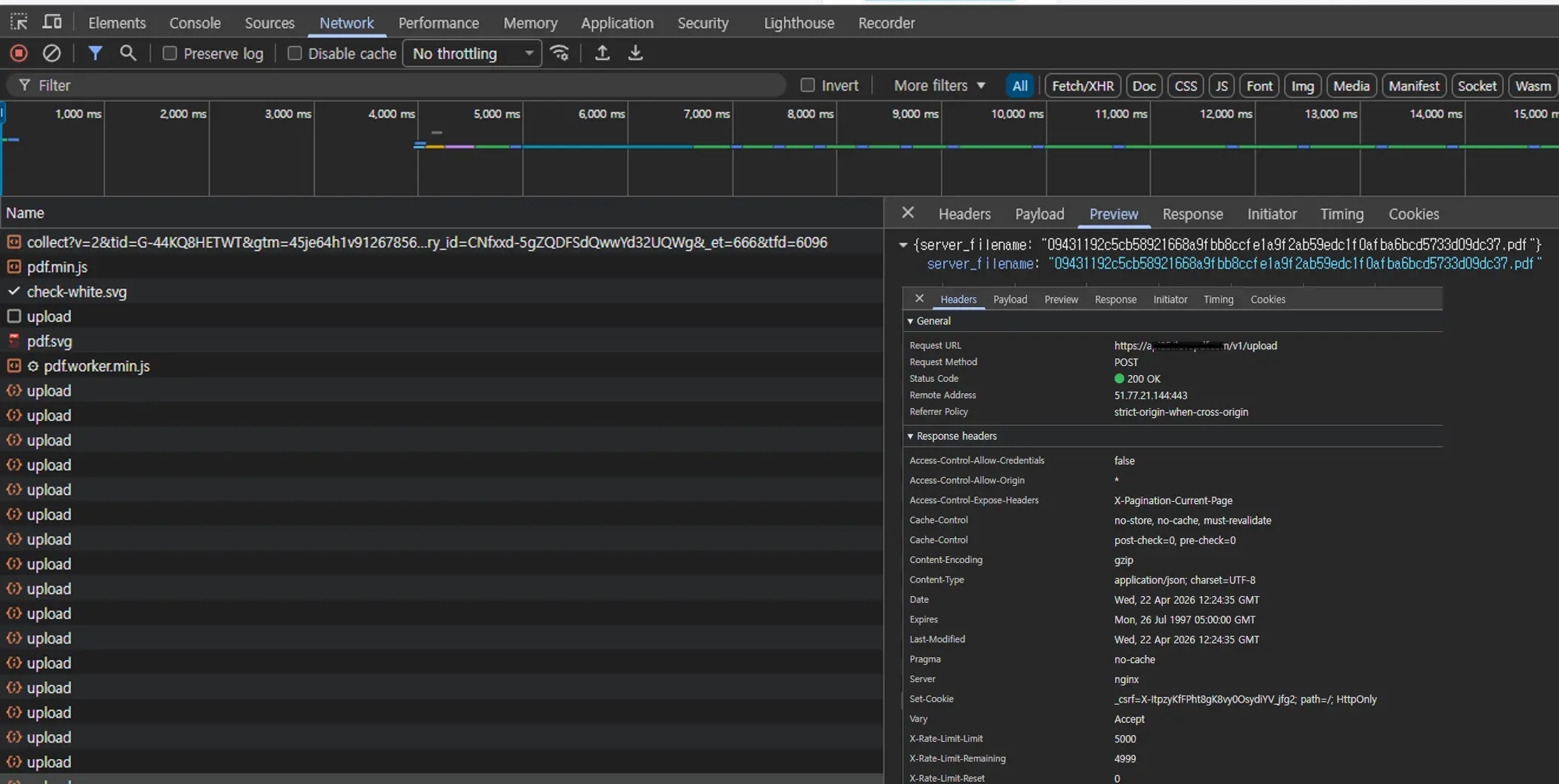
Open your browser's developer tools and switch to the Network tab. Then drag a PDF into a typical online PDF tool. Watch the request list. You will usually see a POST request carrying the file as multipart/form-data to an upload endpoint.
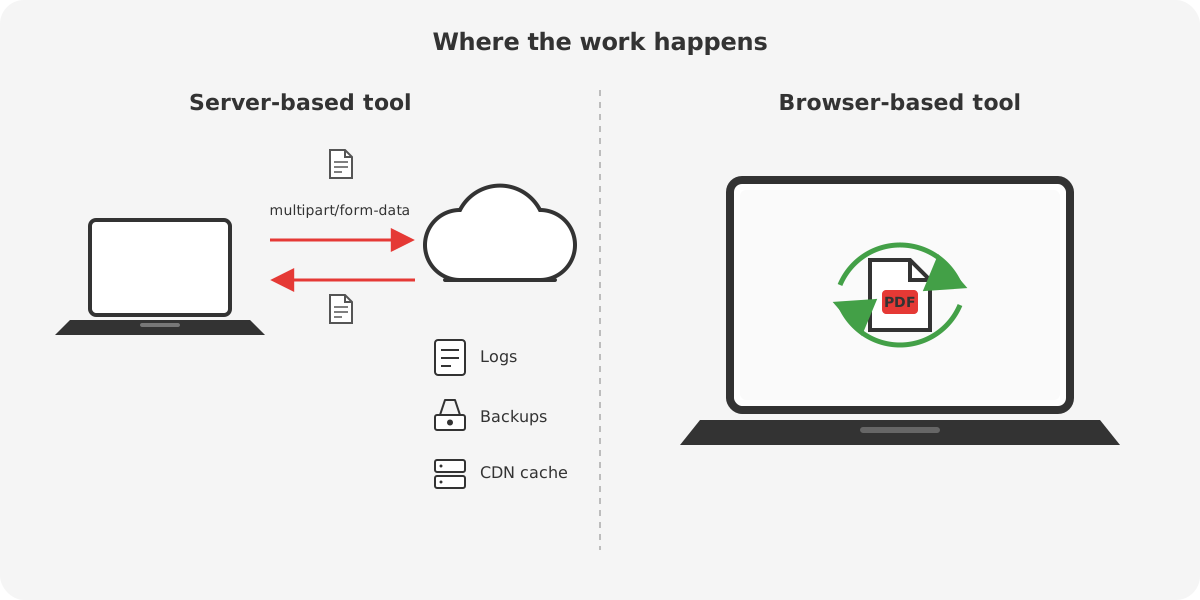
That means the browser is not just showing a progress bar. It is shipping your document away. The server receives the file, stores it somewhere, processes it, and then returns another file for you to download. Simple for them. Less simple for you.
Now your original PDF may exist in more places than you intended. The server may log the request. The storage layer may keep copies for a while. Backups may exist. Temporary processing folders may exist. CDN behavior may add another layer depending on how the service is set up. None of that means a breach happened. It means other systems are now in the loop.
For a restaurant menu, maybe you do not care. For a signed contract, passport scan, tax file, invoice bundle, or medical form, that changes the risk. Not every document deserves a tour of someone else's infrastructure.
“We delete files after one hour” sounds better than it is
This line shows up all over the place. It sounds calming. It is still just a promise.
A deletion policy is not proof of deletion. You cannot inspect their storage. You cannot inspect their backups. You cannot verify whether logs still contain metadata about the file. You are being asked to trust the company, its staff, its vendors, and its wording.
And wording matters. “Deleted after one hour” often leaves room for exceptions. Abuse prevention. Legal requests. Backup retention. Operational logs. Internal troubleshooting. Sometimes the document is gone, but traces around the document are not. That may still be fine for low-stakes files. It is thin comfort for sensitive ones.
The bigger point is simpler: if the job never needed a server, the privacy promise should not depend on a server behaving well.
Your browser can do the job locally
This part is no longer futuristic. Browsers can run serious code now. WebAssembly exists. JavaScript PDF libraries exist. Worker-based processing exists. The browser can split, merge, watermark, sign, protect, and sanitize many PDFs without handing the file to a remote server first.
That is also how PDFTasker is built. The service plan centers on browser-side processing, static delivery, and worker-based file handling rather than shipping documents to an app server for routine tasks. That is the product idea in plain terms: the work happens on your device, not on ours.
Why do many tools still upload files anyway? Because server pipelines are easier to control. They help companies meter usage, gate features, keep users in accounts, and simplify implementation. Convenient for the business. Not always necessary for the job.
What to check before you upload anything
-
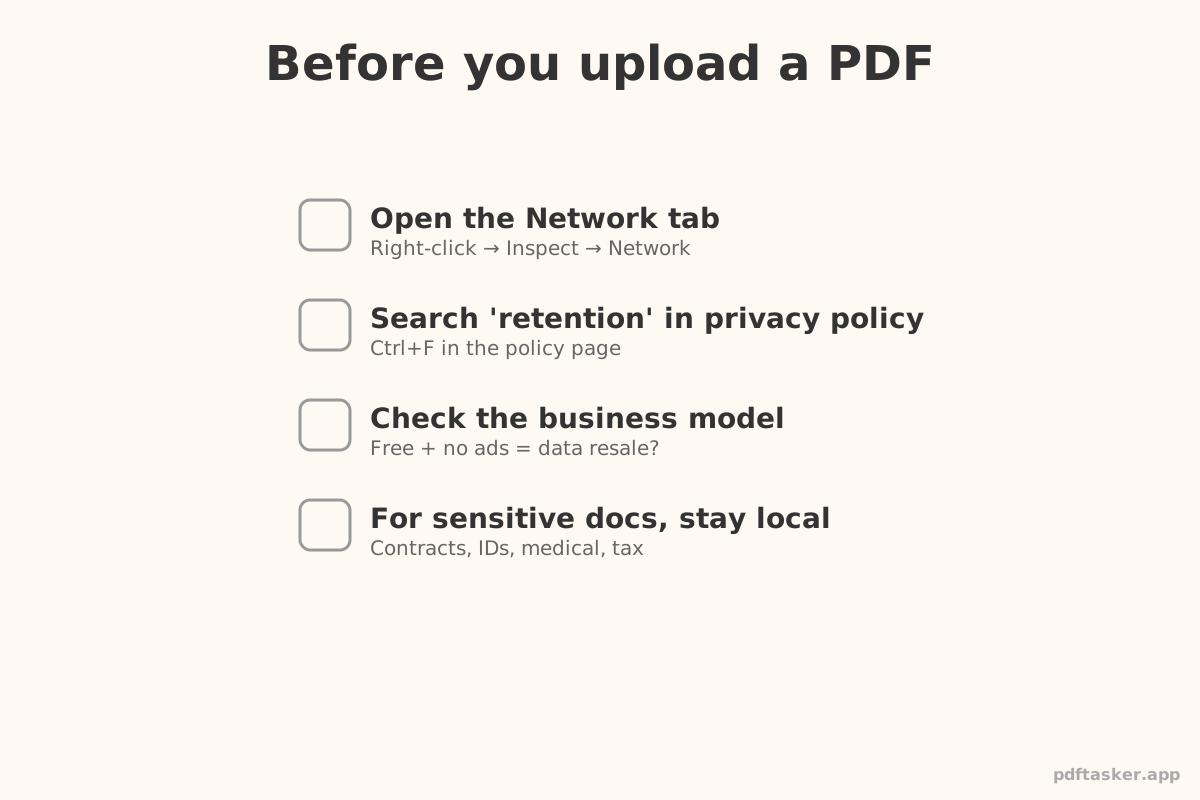
Open the Network tab first. Drop the file and watch what happens. A large POST request is the tell.
-
Search the privacy policy for words like “retention,” “delete,” and “logs.” Vague wording usually means you are filling in the blanks yourself.
-
Ask how the service makes money. Free tools are not automatically shady. But “free forever” with no clear model deserves a second look.
-
For sensitive files, stay local. You can merge PDFs, sign a PDF, protect it with a password, or strip metadata before sharing without treating your document like a server upload form.
If you want the short operational view, the PDFTasker comparison page puts file upload, processing location, account requirement, browser limits, and output ownership in one checklist.
PDFTasker
Sign
That is the whole point
We built PDFTasker because this whole routine is backwards. Why should signing a contract start with uploading it to somebody else's server?
Your browser can do more than most PDF sites admit. So let it. Keep the file on your device. Finish the task. Move on. No tricks. No extra trust ceremony. Just the work.