PDF에서 필요 없는 페이지 한 장만 딱 빼는 법
여러 장짜리 PDF에서 표지나 빈 페이지 등 필요 없는 한 장만 빼고 싶을 때, 전체를 다시 만들 필요 없이 브라우저에서 바로 빼는 방법입니다.
7분 분량
페이지 정리 · PDF 정리
정부24 발급 PDF, 등기부등본, 강의자료 — 페이지 순서를 바꾸고 필요 없는 페이지는 빼서 깔끔한 새 PDF로 저장합니다.
개인정보 유출 걱정 없는 로컬 처리
파일은 사용자의 기기 외부로 전송되지 않습니다.
서버 업로드나 대기 시간이 전혀 없으며, 모든 작업은 브라우저 내에서 안전하게 직접 완결됩니다. 안심하고 사용하세요.
이렇게 쓰세요
문서 불러오기
PDF를 올린 뒤 페이지 순서를 바꾸거나 필요 없는 페이지를 제거하세요.
파일을 끌어다 놓거나 클릭해서 선택하세요.
페이지 뷰어
여기서 페이지를 보고 정리하려면 PDF를 불러오세요. 드래그로 순서를 바꾸거나 페이지를 선택해 삭제할 수 있습니다.
내보내기 설정
레이아웃을 확인하고 내보내기를 눌러 선택한 페이지를 새 PDF로 결합하세요.
내 PC 안에서 PDF 순서 바꾸기·편집
브라우저에서 바로 쓰는 PDF 에디터처럼, PDF를 편집할 일이 자주 있습니다. 발급 PDF에 표지가 붙어 있거나, 등기부등본에서 필요한 부분만 보내고 싶거나, 강의자료의 페이지 순서가 엉켜 있을 때. 어디 사이트에 올려서 정리해 올 일이 아닙니다. 브라우저 안에서 끌어 옮기고 빼면 끝납니다. 페이지를 썸네일로 펼쳐 놓고 끌어서 순서를 바꾸거나 필요 없는 장을 빼면, 깔끔하게 정리된 새 PDF가 그 자리에서 만들어집니다. 계약서 초안이나 인사 자료처럼 들여다보기 민감한 문서일수록, 정리 과정 자체가 브라우저 밖으로 안 나간다는 점이 중요합니다.
프라이버시와 신뢰
썸네일 미리보기, 끌어서 순서 바꾸기, 페이지 삭제, 새 PDF 내보내기 — 모두 브라우저 안에서 처리됩니다. 원본 문서가 어디 서버에 잠깐이라도 올라가지 않습니다. 내보내기 전까지 변경 사항은 브라우저 안에만 머무르고, 저장을 눌러야 새 PDF로 확정됩니다.
사용 가이드
자주 묻는 질문
가능합니다. 썸네일을 드래그하여 원하는 위치에 배치하면 페이지 순서가 즉시 변경됩니다. 글자와 이미지는 훼손되지 않으며 순서만 조정된 새 파일이 생성됩니다.
본문 내용만 남기고 표지·안내·여백 페이지를 빼는 건 흔한 작업입니다. 발급 도장이나 본문 내용은 그대로 두고 보여주고 싶지 않은 페이지만 골라 제거할 수 있습니다.
썸네일에서 필요한 페이지만 남기고 나머지를 빼면 됩니다. 부동산 거래 상대방에게 굳이 모든 권리관계를 다 보여주고 싶지 않을 때 자주 쓰는 방식입니다.
여러 PDF를 한꺼번에 올리고 모든 페이지의 썸네일을 본 상태에서 끌어다 원하는 순서로 배치하면 됩니다. 합치기와 순서 잡기를 한 번에 끝낼 수 있습니다.
현재 페이지를 미리 보면서 회사가 요구한 순서로 끌어다 놓으면 됩니다. 보통 자기소개서를 앞에 두고 이력서, 그 뒤로 증빙 서류를 두는 순서가 무난합니다.
썸네일을 보면서 끌어다 제 순서로 놓으면 됩니다. 스캐너에 거꾸로 들어갔거나 양면 스캔하다 순서가 틀어진 경우, 페이지를 하나씩 원하는 자리로 옮기고 내보내기만 누르면 새 순서의 PDF가 만들어집니다. 페이지 순서를 자유롭게 바꿔 다시 배치할 수 있습니다.
업로드되지 않습니다. 페이지 미리보기, 순서 변경, 삭제, 파일 저장까지 모든 과정이 웹 브라우저 내에서 안전하게 처리됩니다. 작업이 끝나고 탭을 닫으면 개인정보 흔적이 남지 않습니다.
원본은 손대지 않습니다. 정리된 결과물 PDF 한 개가 따로 만들어져서 다운로드 폴더로 떨어집니다. 원본을 잃을 걱정 없이 자유롭게 작업해도 됩니다.
PDFTasker Blog
여러 장짜리 PDF에서 표지나 빈 페이지 등 필요 없는 한 장만 빼고 싶을 때, 전체를 다시 만들 필요 없이 브라우저에서 바로 빼는 방법입니다.
7분 분량
스캔 순서가 뒤바뀌었거나 페이지를 다시 배치해야 할 때, 브라우저에서 PDF 페이지 순서를 바로 바꾸는 방법입니다.
8분 분량
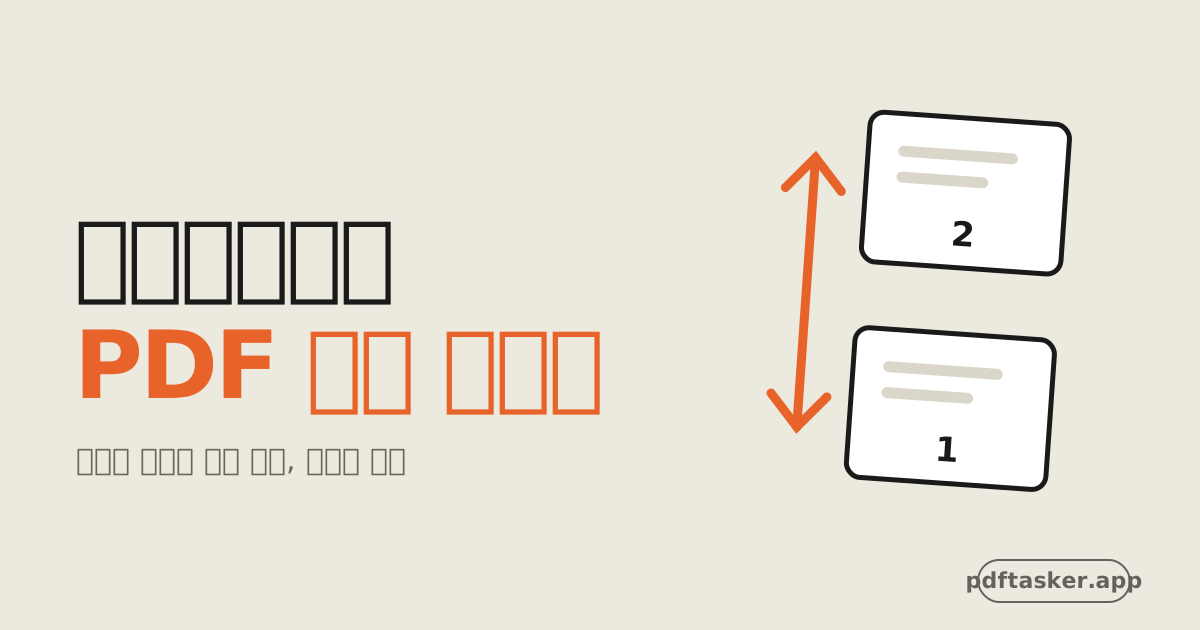
PDF 페이지 순서 바꾸기를 설치도 가입도 없이 브라우저에서. 썸네일을 끌어다 놓으면 PDF 순서 변경이 그 자리에서 끝납니다. 파일은 어디 서버로도 올라가지 않습니다.
6분 분량
이 사이트는 광고 서비스 제공을 위해 쿠키를 사용합니다. 파일 처리는 브라우저 내에서만 이루어집니다. 쿠키 정책