Is Smallpdf safe? What actually happens to your file
2026-06-11 · 3 min read · onnova
Millions of operations and administration teams process their documents daily using popular online tools like Smallpdf and iLovepdf. They are convenient, quick, and get the job done in seconds.
However, when you need to process a proprietary client agreement, an employee tax form, or a confidential financial statement, a critical question arises: is it safe?
To answer this objectively, we must look past marketing promises and examine the structural reality of how your data travels.
Acknowledging server-side security standards
It is a common mistake to assume that leading cloud-based PDF tools have weak security. That is not true.
Market leaders like Smallpdf invest heavily in compliance and operations infrastructure. They typically offer:
- Industry certifications: Many maintain ISO/IEC 27001 audits and SOC 2 compliance.
- Regulatory alignment: They structure their policies to comply with European Union GDPR requirements.
- Deletion policies: They state that files are processed automatically and deleted from their servers within 60 minutes.
For standard, non-sensitive documents, these measures are generally sufficient. But for sensitive data, a structural vulnerability remains.
The architectural problem: Server vs. Device
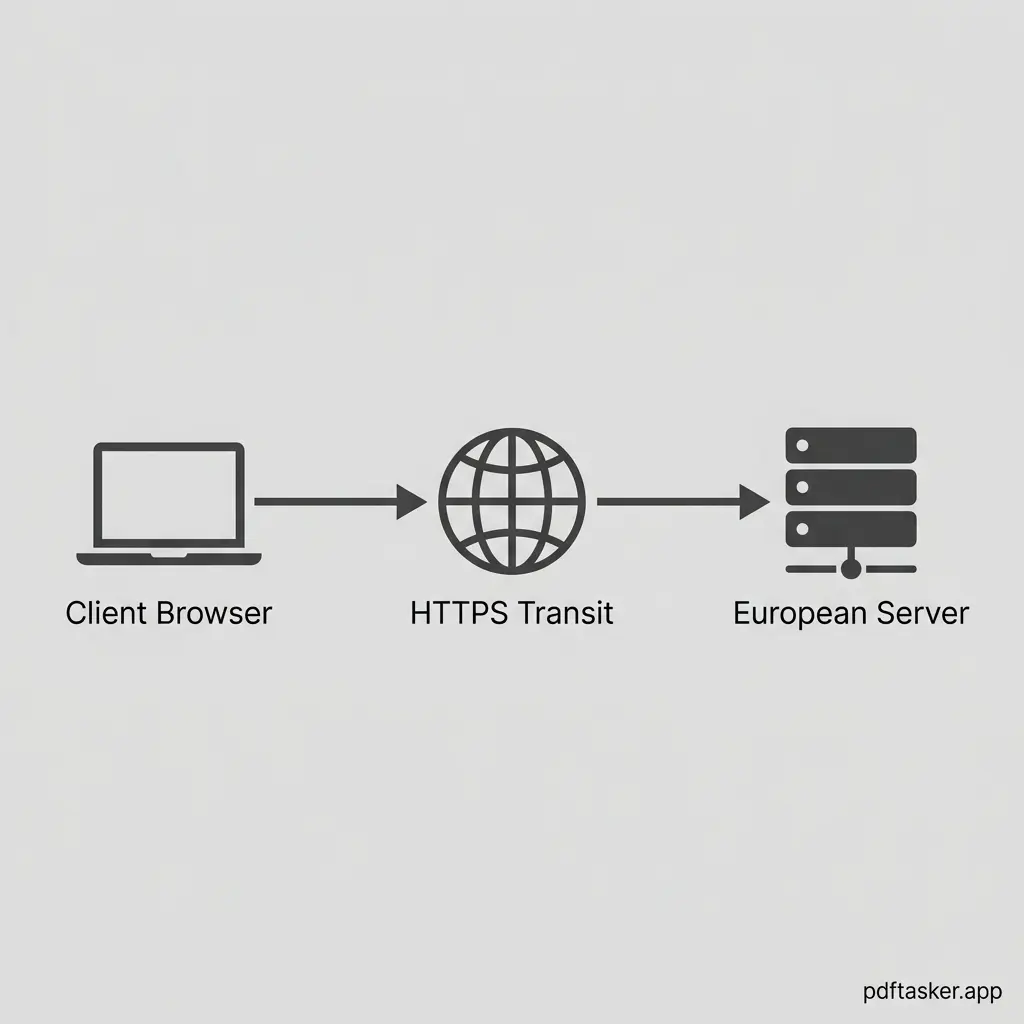
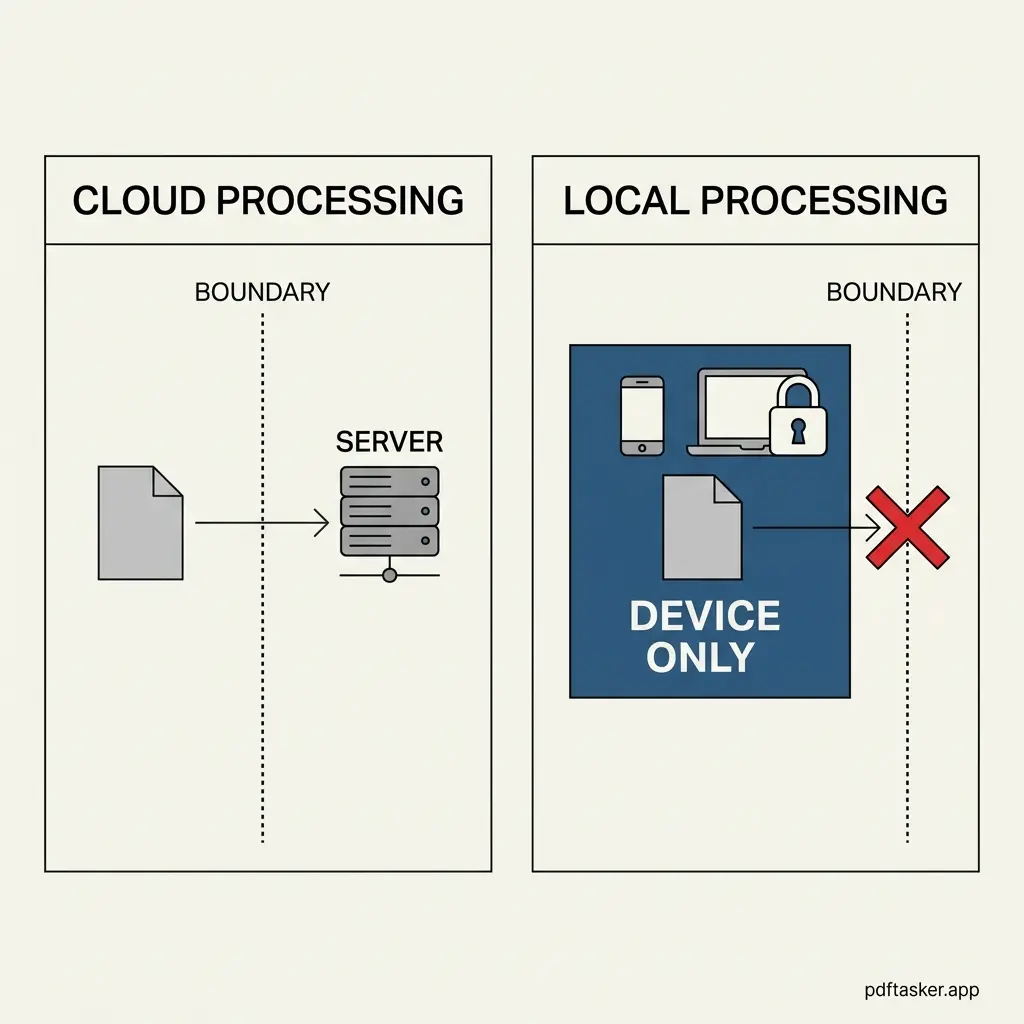
The issue is not whether a company is trustworthy, but rather the cloud-based model itself. When you use a server-side tool, your file must travel across the internet to an external server.
This introduces structural exposure:
- The transit risk: Any file sent over a network is exposed to potential interception, even with HTTPS encryption.
- The trust assumption: You must trust that the server actually deletes the file as promised, with no backup retention or logging anomalies.
- The jurisdiction issue: Once your file lands on a server in another country (such as Switzerland or Spain), it becomes subject to local legal requests.
For operations managers handling PII (Personally Identifiable Information), this model represents an unnecessary risk.
Evaluating your document sensitivity
Before uploading your next document, evaluate its contents using a simple security checklist. If it contains any of the following, do not upload it to a cloud server:
- Personal details: Social security numbers, home addresses, or driver's license copies.
- Financial data: Bank statements, transaction invoices, or salary schedules.
- Corporate IP: Unreleased product designs, board meeting summaries, or client contract drafts.
For these documents, the only secure path is keeping them local. By utilizing modern browser engines, tools like PDFTasker process your files entirely within your device's memory. No data is sent to a server.
Choosing the right architecture
We do not need to criticize cloud services to make a sensible decision. Smallpdf and iLovepdf are functional tools for non-sensitive public documents.
But for confidential workflows, the choice is clear. If a file never leaves your computer, it cannot be leaked. Focus on the architecture, protect your data, and process locally.
PDFTasker
Health Report