Sign a Contract PDF Online Safely: Don’t Upload It First
2026-04-26 · 6 min read · onnova
"I only need to sign one page."
"The contract is already a PDF. An online signing site should be fine, right?"
That is the usual moment.
The file is ready. The client is waiting. The upload box looks harmless.
Should a contract PDF go there first?
Usually, no.
Not because signing a PDF is exotic. The risk is simpler: a contract is a bundle of business context, and upload-first tools ask you to hand over the whole bundle before you know what they do with it.

The risk is not the signature. It is the upload.
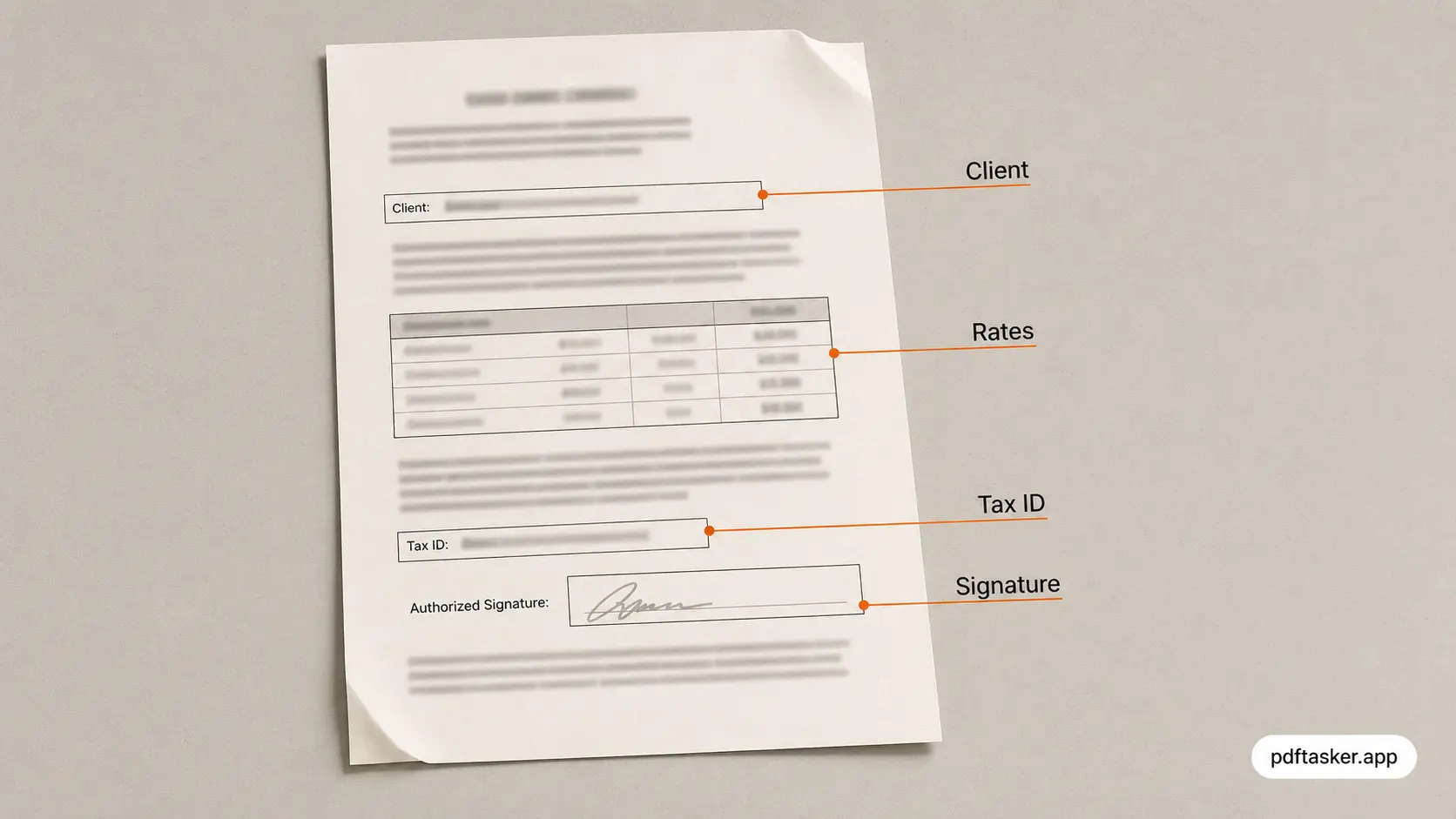
A signature box is tiny. The contract around it is not.
A normal freelancer agreement can carry the client name, your legal name, rates, payment terms, scope, addresses, tax details, dispute language, bank instructions, and sometimes ID scans.
That is not "just a PDF."
It is a compact business record.
Once the whole file leaves your browser, the trust surface changes. You are trusting the upload request, temporary storage, processing workers, logs, backups, support tooling, and retention policy. A good provider may handle that responsibly. The point is narrower: the upload happened before you had to make that trust decision.
If you can sign in the browser, the safer default is boring.
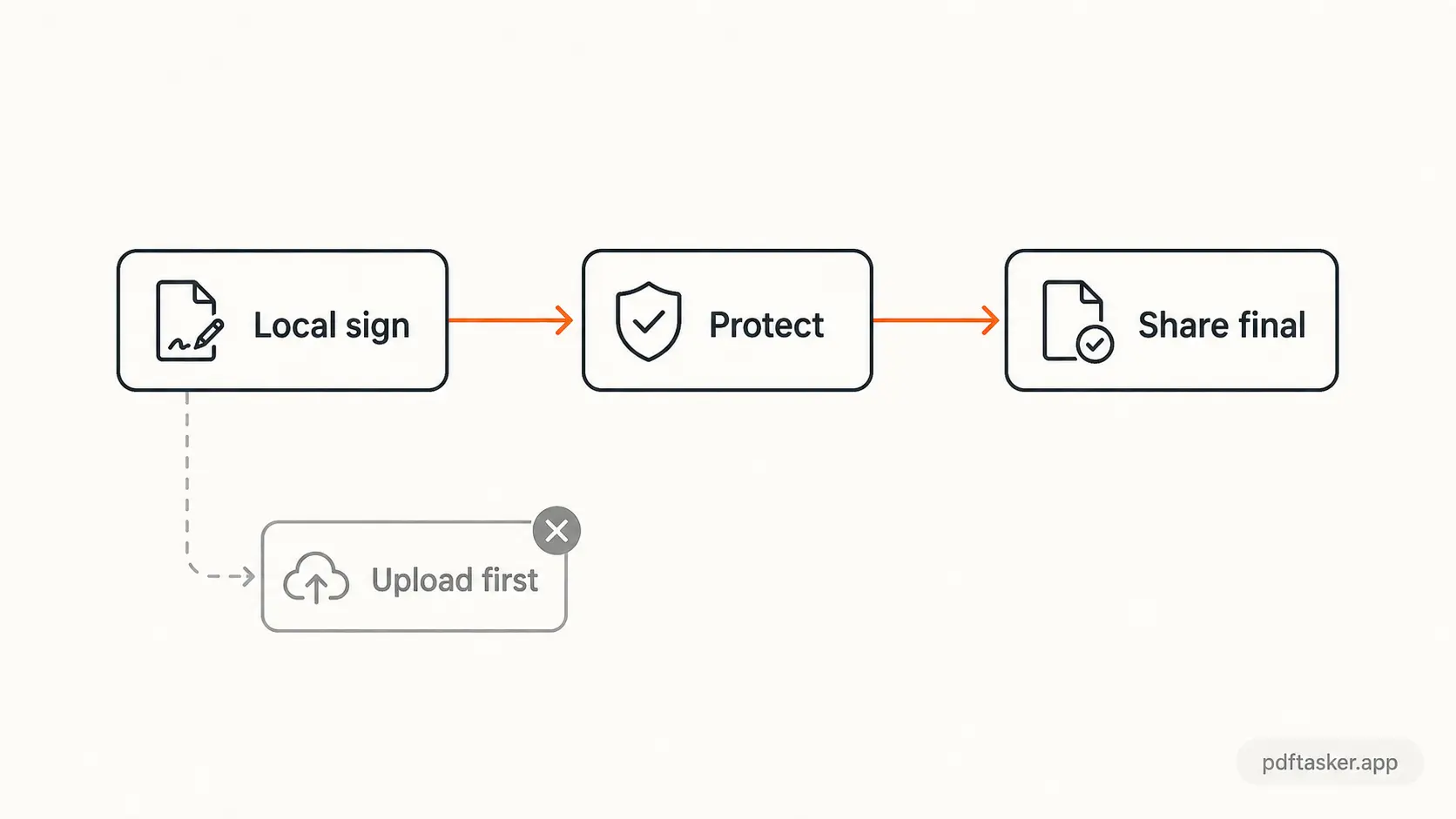
Keep the contract local. Put the signature where it belongs. Download the result.
Three assumptions that fail in contract workflows
The same mistakes repeat.
They are not dramatic. That is why they slip through.
Pattern 1. "It is already signed, so it is less sensitive"
The opposite is often true.
After signing, the file may contain both parties' names, signature images, dates, countersignature blocks, and final terms. A draft may be awkward. A signed contract is evidence.
Upload-first signing turns that evidence into an object inside someone else's system.
Pattern 2. "The site says it deletes files later"
Deletion later is a retention claim.
It is not a no-upload claim.
The contract may still pass through request handling, conversion, preview generation, error logging, and temporary storage before deletion. Those paths may be short. They may be well managed. Still, they are paths you did not need for a simple signature.
Pattern 3. "The signature tool only sees the signature page"
Usually, the tool receives the file you give it.
If you upload the full agreement to sign page 8, the full agreement is what travels. The tool may display one page. That is not the same as receiving one page.
This is where the workflow breaks.
What safer signing looks like
The better pattern is not complicated.
First, decide whether the contract must use a formal e-signature platform. Some agreements do. Some clients require it. Some regulated workflows have their own rules.
If the job is simply "place my signature on this PDF and send it back," keep the work smaller.
- Sign the PDF in your browser with a local PDF signature tool.
- Add a password before sending if the recipient expects a protected copy with PDF protection.
- Remove hidden document metadata when it is not needed with PDF metadata cleanup.
- Send only the final file, through the channel you and the client already agreed to use.
If you need to explain the difference to a client or teammate, the PDFTasker comparison page puts upload-first tools and browser-local processing next to each other in plain operational terms.
No ceremony.
Just fewer unnecessary copies.
A concrete walk-through: one freelance agreement
Here is the whole local workflow on a real example — a six-page freelance agreement where your signature belongs on page 6.
Create the mark once. Open the signature tool and load the contract. You get three input modes: draw the signature on a canvas, type your name in a signature style, or upload a photo of your ink signature. A drawn or uploaded mark looks more like the one on file with your client; typed is fastest for internal paperwork.
Place it where it belongs. The signature appears as a movable stamp on the page preview. Drag it onto the signature line on page 6, resize it with the handles until it sits naturally, and leave the rest of the document untouched. If the contract needs initials on every page, apply the mark to all pages instead of placing it six times.
Export and inspect. Download the signed copy and open it in your normal PDF viewer before sending. Check that the signature lands on the line, not over the text above it, and that no page was accidentally stamped. The original unsigned file is still in your folder, unchanged — keep it until the countersigned copy comes back.
Total time: about two minutes. Number of servers that saw your rates, your address, and your client's name: zero.
One practical note on countersigning. If the client signs after you, they will probably use their own tool — and you cannot control what that is. What you can control is what you hand them: a clean, signed copy with no stray metadata and no extra pages. When the countersigned version comes back, store both versions together. The pair, not either file alone, is your record of what was agreed.
What to check before you hit send
The signature is rarely the last step. Run this short list before the file leaves you:
- Page count and order — make sure nothing was dropped or duplicated during editing.
- Metadata — the PDF may carry an author name, software trace, or revision hints you never meant to share. Clean it when the recipient does not need it.
- Protection — if the channel is email and the contents are sensitive, add a password and share it separately.
- File name —
agreement-signed-2026-06.pdfreads better in a client inbox thanscan_final_v3 (2).pdf.
The last mile is still judgment
The problem was not the signature.
The problem was not the PDF format.
The problem was handing the whole contract to a tool before asking whether the tool needed it.
That is the last mile: judgment before upload.
For low-risk files, an online service may be fine. For contracts, IDs, tax documents, and client records, start with the smaller path. Sign locally. Protect when needed. Clean metadata when useful. Then share the file on purpose.
PDFTasker is built around that browser-first default. The document stays on your device for routine PDF work.
That is the point.
PDFTasker
Sign